Give every tool
your full context
Store documents once, search and cite from any AI tool. Synced across every machine you work on.
npm install -g @getlore/cliThen run lore setup to sign in
Set up Lore for me using the instructions at https://getlore.ai/docs/agent-guideYour AI walks you through it — asks for your email, sends a code, done
Context with sources
Memory tools lose the original. Lore keeps it so any tool can cite exactly what was said.
Memory
“Users want faster exports”
Lore
“In the Jan 15 interview, Sarah said ‘The export takes forever, I’ve lost work twice this week’”
You and your agents, in sync
Developers
Decisions, specs, and history persist across every tool and session.
Researchers
Archive anything, search by meaning, get cited quotes from the original.
AI agents
Persistent knowledge via MCP. Search before asking, cite sources automatically.
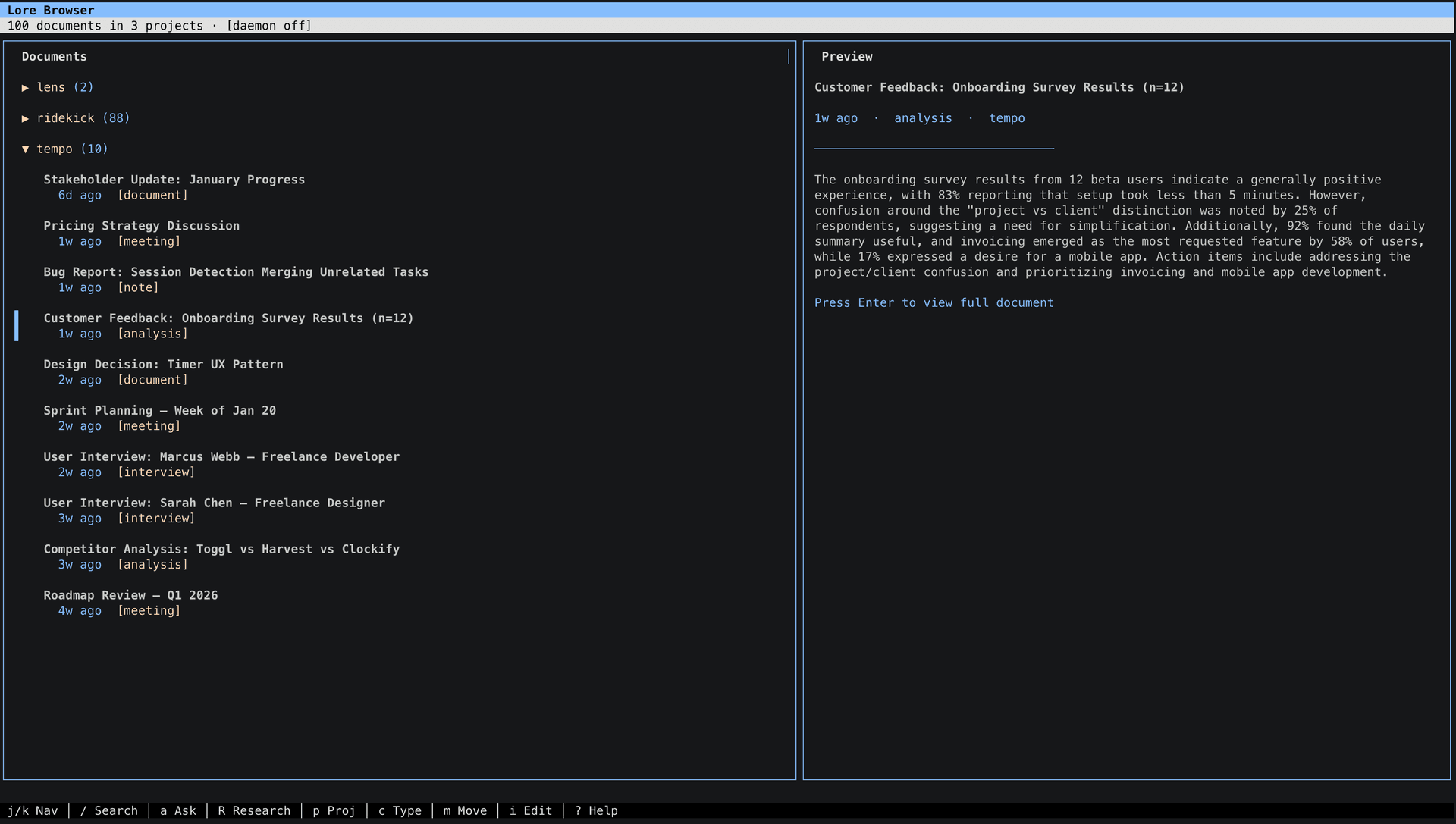
Browse your knowledge base
lore browse gives you a full TUI for searching, reading, and researching — no MCP client needed.
What you get
Semantic Search
Find documents by meaning, not just keywords.
Citations
Every result links to the original source.
9 MCP Tools
Works with any MCP client out of the box.
Git Version Controlled
Your context is checked into git. Full history, diffs, rollbacks.
Deep Research
AI cross-references sources and synthesizes findings.
Synced Everywhere
Same context on every machine and every AI tool. Deduplicated automatically.
Many ways in, one place to search
Drop files in a folder, push content from any AI tool, or pipe it through the CLI. Everything lands in the same searchable knowledge base.
Point Lore at any folder. Drag files in — they're indexed automatically.
lore sync add --path ~/researchAny AI tool can push content directly. Just ask: “store this in lore.”
“Save this meeting summary to lore”Ingest directly from the command line, a file, or a pipe.
lore ingest --file notes.mdSearch from the CLI, the TUI, or any MCP-connected AI tool. Every result cites the original source.
lore search "what did the team decide about auth?"Set up in 30 seconds
No account to create, no password to remember. Just your email and two API keys.
Install
npm install -g @getlore/cliRun setup
Paste your API keys, enter your email, receive a one-time code — done. That's the whole login.
lore setupSearch
Add sources with lore sync add, push content via the ingest MCP tool, or just start searching:
lore search "user pain points"
lore research "What should we prioritize?"Send instructions
Set up Lore for me using the instructions at https://getlore.ai/docs/agent-guideYour AI reads the guide, installs the package, and asks you for your email and API keys.
Paste the code
A 6-digit verification code is sent to your email. Paste it back into the chat when your AI asks.
Done
Your AI finishes setup and starts the background daemon. You're ready to search, ingest, and research.
Connect to your tools




Add to .mcp.json in your project root, or ~/.claude.json globally:
{
  "mcpServers": {
    "lore": {
      "command": "npx",
      "args": ["-y", "@getlore/cli", "mcp"]
    }
  }
}
Settings → Developer → Edit Config. Include API keys since Desktop doesn't inherit your shell:
{
  "mcpServers": {
    "lore": {
      "command": "npx",
      "args": ["-y", "@getlore/cli", "mcp"],
      "env": {
        "OPENAI_API_KEY": "your-key",
        "ANTHROPIC_API_KEY": "your-key"
      }
    }
  }
}
Add to .cursor/mcp.json or ~/.codeium/windsurf/mcp_config.json:
{
  "mcpServers": {
    "lore": {
      "command": "npx",
      "args": ["-y", "@getlore/cli", "mcp"]
    }
  }
}Run npx @getlore/cli setup to configure API keys and sign in. This is required before tools will work.
Available tools
searchFind by meaning or keywordsget_sourceFull document contentlist_sourcesBrowse by project or typelist_projectsAll projects overviewingestAdd content (docs, insights, decisions)research_statusPoll async research resultssyncRefresh from source dirsarchive_projectArchive completed workresearchAI-powered deep researchCommands
| Command | Description |
|---|---|
lore setup | Guided wizard (config, login, data repo) |
lore auth login | Sign in with email OTP |
lore sync | Sync all configured sources |
lore sync add | Add a source directory |
lore ingest | Push content into the knowledge base |
lore search <query> | Semantic search |
lore research <query> | AI-powered deep research |
lore browse | Interactive TUI browser |
lore update | Check for and install updates |
lore mcp | Start MCP server |
Common questions
How is Lore different from a memory system?
Memory systems store processed summaries without attribution. Lore preserves original documents so you can cite exactly what was said, by whom, and when.
What does it cost to use?
Lore is free. You bring your own API keys — OpenAI for embeddings, Anthropic for research. Re-syncing existing files costs nothing.
What file formats work?
Markdown, JSON, JSONL, plain text, CSV, HTML, XML, PDF, and images (JPG, PNG, GIF, WebP). Claude extracts metadata automatically.
Do I need to set up infrastructure?
No. The backend is fully hosted. Install, log in, bring your API keys.
How does multi-machine sync work?
Run lore setup on each machine. Your data repo URL is saved to your account, so new machines auto-discover it. Content is deduplicated by hash.